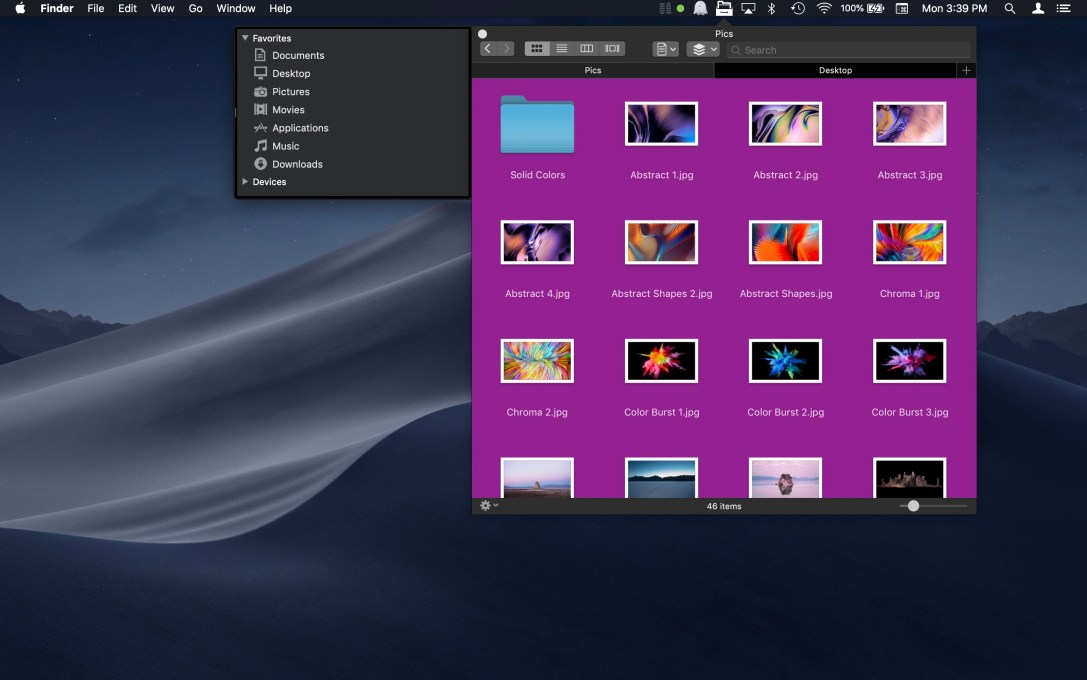
File Cabinet Pro version 7.0 has been released for macOS.
What’s New?
-You can now set a custom background color to use for directories when they are opened in Icon view.
-You can now set a custom background image to use for directories when they are opened in Icon view.
-A new “Show View Options” menu item has been added to the context menu that appears when you right-click on the background of File Cabinet Pro’s window. When you click this menu item, a popover will appear with controls that allow you to change the view options of the directory you are currently viewing. You can also bring up this popover using the Command+J keyboard shortcut.
-You can now customize the font size used in Icon, List, and Column view from the new View Options popover. Custom font sizes set from the View Options popover are saved and restored on a per directory basis.
-The pop up buttons to set a custom font size for Icon, List, and Column view in Settings are now used as the default values for new directories that have not previously been opened in File Cabinet Pro.